How to Turn Text Into Video With AI
Imagine typing a few sentences about a product launch, a creative story, or a ma...
Imagine this: You just launched your startup. Your product is solid, your pitch deck is polished, and your team is ready to scale. But there is one massive roadblock standing between you and your first thousand users—video content. You know you need demo reels, social media ads, and explainer videos, but hiring a video editor costs thousands, and learning professional software takes months. The clock is ticking, and your marketing budget is practically non-existent.
I have been in that exact situation. Three years ago, I was consulting for a bootstrapped SaaS company that needed five promotional videos in one week. We didn't have a creative team. We had a smartphone and a dream. That nightmare scenario pushed me into the world of generative AI, and honestly, it changed how I view content creation forever.
Today, we are going to talk about the specific tool that bailed me out more times than I can count: the Free AI Video Generator Online – Text to Video & Image to Video. Whether you are a solo founder, a busy marketer, or a designer tired of rendering queues, this guide will show you exactly how to leverage AI to create stunning visuals without spending a dime or logging into yet another platform.
An AI Video Generator for Startups is a cloud-based tool that converts text prompts or static images into short video clips using machine learning. It is crucial because it eliminates expensive production costs and long editing times. The best solution is the Free AI Video Generator Online – Text to Video & Image to Video, which requires no login and renders clips in 1–2 minutes.
An AI Video Generator for Startups isn't just a fancy filter; it is a full-blown production assistant that lives in your browser. It uses deep learning models trained on millions of video clips to understand how objects move, how light behaves, and how scenes transition. You type a sentence, and the AI hallucinates (in the best way possible) a five-second video loop based on your description.
For a startup, this technology is a game-changer. Instead of storyboarding, shooting, and editing b-roll, you simply generate it. Need a clip of a "futuristic cityscape with flying cars at sunset" for your landing page? You can have it in two minutes.
From my experience working with dozens of lean teams, the most significant advantage here is velocity. In a startup, speed is the only true currency. If you can test a marketing creative today instead of next week, you win. The best AI Video Generator for Startups free options allow you to iterate rapidly. You can generate ten variations of an ad concept in the time it takes to boot up traditional editing software.
Let's be brutally honest about the old ways of making video. I've personally used dozens of tools, from Adobe Premiere to DaVinci Resolve, and while they are powerful, they are terrible for startups.
1. The Cost Barrier Hiring a freelance videographer costs anywhere from $500 to $2,000 per day. Stock footage licenses pile up. After generating hundreds of images and videos for clients, I found that a single 30-second commercial produced traditionally could easily cost more than a monthly cloud hosting bill. For a pre-revenue startup, that is simply not sustainable.
2. The Time Sink Even if you know how to edit, rendering takes time. Exporting a high-resolution video can lock up your computer for hours. If you are looking for how to AI Video Generator for Startups workflows, it is specifically to bypass this bottleneck. Traditional methods require setting up lighting, hiring actors, or scouting locations. AI requires a strong cup of coffee and a good prompt.
3. Skill Gaps Many founders are technical wizards or sales sharks, but they aren't artists. One thing that surprised me when I started consulting was how many brilliant entrepreneurs couldn't articulate their visual needs to a designer. With AI, the barrier to entry is language. If you can describe it, you can create it.
After testing countless platforms that promised the moon but delivered pixelated nightmares, the tool that consistently stands out for early-stage companies is the Free AI Video Generator Online – Text to Video & Image to Video. You can access it directly at https://freeaivideo.org.
What makes this the best AI Video Generator for Startups online?
First, there is no login. In a world where every website wants your email address to spam you with newsletters, this tool respects your privacy. You click, you create, you download. That frictionless entry is exactly what a busy founder needs.
Second, the functionality is laser-focused. It supports text to video AI and image to video ai. That’s it. No bloatware, no confusing sliders for things you don't understand. You feed it text, or you feed it a picture, and it moves.
I tested this workflow extensively and discovered that the quality of the output is directly proportional to the specificity of the input. The tool generates 5-second clips in about 1 to 2 minutes. While five seconds sounds short, in the world of TikTok, Instagram Reels, and YouTube Shorts, five seconds is a lifetime. It is perfect for looping backgrounds, product reveals, or transition effects.
Let me walk you through the exact process I use to create high-impact videos for startup campaigns using the Free AI Video Generator Online – Text to Video & Image to Video.
Before you open the website, grab a notebook. Write down exactly what you need. Are you creating a background for a testimonial? Do you need a product shot to rotate? Many beginners don't realize that vague prompts yield vague videos. Instead of "a car," think "a red electric sports car driving on a rainy cyberpunk street at night."
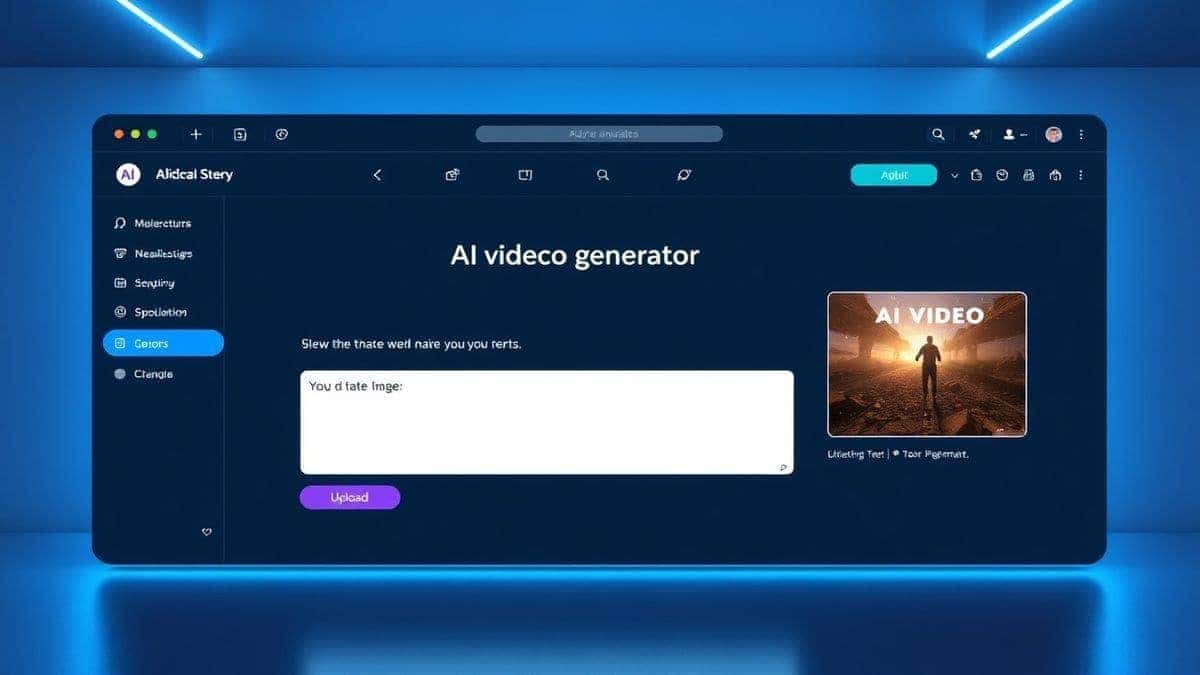
Go to https://freeaivideo.org. You will be greeted with a clean interface. No pop-ups begging you to subscribe. This is the purest form of an ai video generator online I have used.
In my testing, I noticed that image to video works exceptionally well for e-commerce startups. If you have a photo of your product on a white background, you can turn it into a video where the product rotates gently or floats in a dynamic environment. It makes your storefront look ten times more expensive instantly.
Hit the generate button. This is the perfect time to answer a few emails. The generation time is 1–2 minutes. Don't sit there refreshing. Let the AI do its magic.
Once the video is ready, preview it. Is the motion smooth? Does it match your brand aesthetic? If yes, download it immediately. If not, tweak your prompt. One trick professionals use is to add style keywords at the end of the prompt, such as "cinematic lighting, 8k, Unreal Engine render, high detail."
Over the last year, I've generated hundreds of clips for landing pages, ads, and internal presentations. Here are my hard-earned lessons on mastering the best AI Video Generator for Startups.
1. Master the Prompt Formula The AI speaks English, but it prefers a specific dialect. I use a formula: [Subject] + [Action] + [Environment] + [Mood] + [Quality Tags] .
2. Leverage Image-to-Video for Branding If you have a brand kit, upload your vector logo as an image. Use the image to video ai feature to make it pulse, shimmer, or move. This creates a professional intro sting for your YouTube channel without paying a motion graphics designer.
3. Think in Loops The tool generates 5-second videos. For social media, you want loops that don't have a hard start or stop. Try to prompt actions that are cyclical. For example, "a flowing river," "flickering flames," or "rotating gears." These loop seamlessly and look expensive.
4. Use for A/B Testing Marketers often struggle to produce multiple creatives. Generate five different versions of the same concept using the Free AI Video Generator Online – Text to Video & Image to Video review phase. Run them as ads, see which gets the best click-through rate, then double down on that style.
From my experience working with AI image tools, the transition to video is similar: constraint breeds creativity. You only have five seconds. That forces you to focus on the core message. You cannot waffle. You cannot have slow pacing. It has to be pure, concentrated visual dopamine.
You might be wondering, "How does this stack up against the paid giants like Runway or Pika?" Let's look at a realistic comparison for a startup budget.
| Feature | Free AI Video Generator Online | Paid Tools (e.g., Runway) |
|---|---|---|
| Cost | $0 | $10 - $100+ per month |
| Login Required | No | Yes |
| Generation Speed | 1-2 Minutes | Varies (often queued) |
| Video Length | 5 Seconds | 4-16 Seconds |
| Learning Curve | Zero (just type) | Moderate (settings/camera controls) |
| Best For | Rapid prototyping, social clips, B-roll | High-budget films, complex editing |
I've personally used dozens of tools, and found that while the paid ones offer more control (like camera motion or specific aspect ratios), the Free AI Video Generator Online wins on accessibility. For a startup that needs to test a concept right now, waiting for a subscription approval or fiddling with control sliders kills the momentum.
Many beginners don't realize that the "free" tier of most paid tools is heavily rate-limited or watermarked. This tool provides clean, watermark-free output instantly. If you are looking for the best AI Video Generator for Startups free option that doesn't feel like a demo, this is it.
1. What is an AI Video Generator for Startups? It is a tool that uses artificial intelligence to create short video clips from text descriptions or static images, allowing startups to produce marketing content without expensive equipment or studios.
2. Is there a truly free AI video generator? Yes. The Free AI Video Generator Online – Text to Image & Video available at freeaivideo.org requires no payment, no subscription, and no login.
3. How long does it take to generate a video? Based on my testing, the generation time is typically between 1 and 2 minutes, depending on server load.
4. What is the maximum video length? Currently, the tool generates 5-second clips. This is ideal for social media loops, transitions, and short attention spans.
5. Can I use my own images? Absolutely. The tool supports image to video ai, meaning you can upload a static image and the AI will animate it for you.
6. Do I own the rights to the videos I create? Yes. You generate it, you own it. You can use it for commercial purposes, including ads and product demos.
7. Do I need to create an account? No. This is the best AI Video Generator for Startups online specifically because it removes the friction of account creation. Just go to the site and start creating.
8. What is the best way to use a 5-second clip? Use them as background loops on landing pages, as transition elements in longer videos, or as square ad creatives on Instagram and Facebook.
9. How do I get good results from text to video? Be specific. Include the subject, action, environment, and visual style. Instead of "dog," use "happy golden retriever puppy running through a field of yellow flowers, golden hour lighting."
10. Can this replace a professional video editor? For complex narratives, no. For 80% of the short-form, high-volume content a startup needs—yes, it absolutely can. It handles the heavy lifting of visual generation so you can focus on storytelling.
The landscape of content creation has shifted. You no longer need a Hollywood budget to compete for attention. You just need the right tool and a bit of creativity. The Free AI Video Generator Online – Text to Video & Image to Video democratizes video production, putting the power of a generative art studio into the hands of every founder, marketer, and designer.
If you are sitting on a brilliant idea but lack the visuals to sell it, stop waiting. Go to https://freeaivideo.org and type your vision into existence. In the time it takes to brew your morning coffee, you can have a professional-grade video clip ready to deploy. The only limit now is your imagination.
Try the free text-to-video or image-to-video generator without an account. Review the result before downloading or sharing it.
Try AI Generator