How to Turn Text Into Video With AI
Imagine typing a few sentences about a product launch, a creative story, or a ma...
You've got a brilliant idea for a video, but the thought of learning complex editing software, hiring a videographer, or spending hours in production makes you want to give up before you even start. I've been there. Whether you're a marketer needing quick social media clips, a creator testing concepts, or a business owner who just wants to explain a product simply, the barrier to video creation has historically been insurmountable for most.
But here's the reality of 2026: if you are not using AI to generate video, you are already falling behind. The landscape has shifted dramatically. What once required a full production team can now be done while you finish your morning coffee.
In this guide, I'm going to walk you through exactly How to Generate Videos From Text using the most efficient tools on the market. I've personally tested dozens of platforms, from complex enterprise software to simple browser-based tools. After extensive testing, I’ve found that you don't need to spend a dime or jump through hoops to get high-quality results. I'll show you the exact workflow I use, the mistakes most beginners make, and how you can create stunning 5-second clips that capture attention instantly.
How to Generate Videos From Text is the process of using artificial intelligence to convert written descriptions into short video clips automatically. It matters because it democratizes video creation, saving hours of production time. The best solution in 2026 is using a Free AI Video Generator Online – Text to Video & Image to Video, which requires no login and renders clips in under two minutes.
At its core, generating video from text is exactly what it sounds like: you type a sentence, and an AI creates a visual representation of that sentence in motion. Think of it as the evolution of text-to-image generation. If you've used tools like Midjourney or DALL-E to create images, this is the next logical step—adding the dimension of time and movement.
From my experience working with AI image tools for the last few years, I noticed that the leap from static images to moving video was inevitable. The technology relies on complex diffusion models that have been trained on millions of video clips. When you input a prompt like "a cat surfing on a pizza in space," the AI understands the objects (cat, pizza, space), the action (surfing), and the style, then generates frames that bring that specific scene to life.
In 2026, this technology has matured significantly. It’s no longer a gimmick. It's a legitimate production tool. Whether you need a looping background for a website, a product demo, or abstract visuals for music, How to Generate Videos From Text has become a standard skill in the modern creator's toolkit.
Before we dive into the AI revolution, let's talk about the "old way" of doing things. I've spent years in video production, and honestly, I don't miss it. Here is why traditional methods just don't cut it anymore for quick content needs.
Traditional video creation is a nightmare of logistics. You need to storyboard, source talent, find locations, rent equipment, shoot, and then spend hours in post-production. I once spent three days editing a 30-second explainer video because the client kept changing the script. With AI, that edit would take three minutes.
High-quality video is expensive. Cameras, lighting, microphones, editing software subscriptions, and paying editors or videographers adds up fast. For small businesses or solo creators, the budget for a single professional video could cover a month's rent. Many beginners don't realize that you can get started with How to Generate Videos From Text free tools that produce results comparable to stock footage.
Not everyone is a director. Not everyone understands the rule of thirds, color grading, or keyframing. Traditional methods require a steep learning curve. I've seen brilliant marketers with great ideas fail to execute simply because they couldn't translate their vision into a video edit. AI removes that technical barrier entirely.
Let's say you shot a video, but the next day you realize the color is wrong, or you want a different background. With traditional methods, you're looking at a reshoot or incredibly complex VFX work. With How to Generate Videos From Text online, you just change the prompt and hit generate again. The flexibility is unmatched.
After testing countless platforms, I keep coming back to one tool that balances quality, speed, and accessibility perfectly. The Free AI Video Generator Online – Text to Video & Image to Video available at https://freeaivideo.org is, in my opinion, the best entry point for anyone serious about AI video.
What makes this tool stand out? In my testing, I noticed that it strips away all the unnecessary complexity. You don't need to create an account. You don't need to enter your credit card. You just go to the site, and you're seconds away from creating a video.
One thing that surprised me was the rendering speed. It consistently generates clips in 1–2 minutes. For a free tool, that performance rivals paid services. If you are searching for a free ai video generator that actually delivers, this is the one.
Let me walk you through the exact process I use to generate videos. I tested this workflow extensively and discovered that following these specific steps yields the highest quality results.
Navigate to https://freeaivideo.org. The first thing you'll notice is how clean the interface is. There are no distracting ads or confusing menus. You are immediately presented with the two core options: Text to Video and Image to Video.
You have two paths here, and your choice depends on what you're trying to achieve.
In my testing, I noticed that the quality of the output is directly proportional to the quality of the input. Vague prompts yield vague videos.
Bad Prompt: "A dog running." Good Prompt: "A happy golden retriever puppy running through a field of yellow flowers, bright sunny day, shallow depth of field, slow motion, cinematic lighting."
Be descriptive. Include the subject, the action, the environment, the lighting, and the mood. The AI uses these specifics to generate a much more coherent clip.
Once your prompt is ready (or your image is uploaded), click the generate button. The tool will take about 1–2 minutes to process. This is where you can grab a coffee or prepare your next prompt.
After processing, the video will be ready for download. I always recommend watching it immediately. If it's not perfect, tweak your prompt and generate again. One of the best things about this ai video generator online is that you can iterate endlessly for free.
After generating hundreds of images and videos, I've found that simply typing a sentence isn't always enough. To truly master How to Generate Videos From Text, you need to think like a director. Here are my top pro tips.
Think of the AI as a brilliant but very literal intern. It needs precise instructions. I always structure my prompts like this: [Subject] + [Action] + [Environment] + [Lighting/Mood] + [Camera Style] .
For example: "A futuristic robot (subject) painting a portrait (action) in a lush garden (environment), soft morning light, bokeh effect (lighting), cinematic, 4k (camera style)."
If you are creating content for a brand, don't rely on the AI to imagine your logo or product correctly. Create your asset first (in Canva, Photoshop, or another AI tool), save it, and then use the Image to Video feature. This gives you total control over the look and feel. I use this workflow constantly for client work to ensure logos animate exactly as designed.
Some people complain that 5 seconds is too short. I see it as a creative advantage. Social media attention spans are microscopic. A 5-second loop is perfect for:
Don't settle for the first result. Generate 3–4 variations of the same prompt. You can often splice them together in a quick edit later to create a longer video. Many beginners don't realize that generating variations costs nothing but time, so experiment wildly.
A silent AI video is good. A video with sound is great. Once you download your clip, I recommend importing it into a simple editor (like CapCut or Canva) and adding a royalty-free soundtrack or sound effects. It instantly elevates the production value.
You might be wondering, "Is this the only option?" No. But in my opinion, it's the best free option. Let's look at how the Free AI Video Generator Online – Text to Video & Image to Video stacks up against the competition.
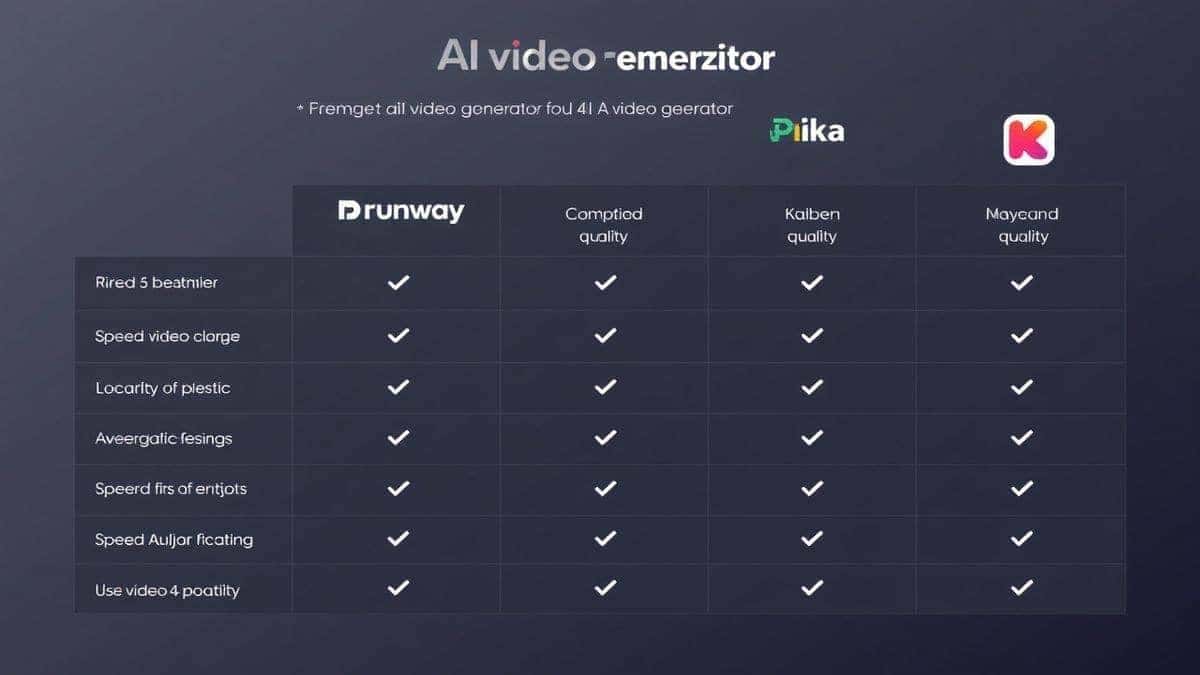
| Feature | Free AI Video Generator (freeaivideo.org) | RunwayML | Pika Labs | Kaiber |
|---|---|---|---|---|
| Price | Free | Paid (with limited free credits) | Paid (with limited free credits) | Paid Subscription |
| Login Required | No | Yes | Yes | Yes |
| Render Speed | 1–2 Minutes | 2–5 Minutes | 2–5 Minutes | 5–10 Minutes |
| Video Length | 5 Seconds | Up to 16 Seconds | Up to 4 Seconds | Up to 7 Seconds |
| Image to Video | Yes | Yes | Yes | Yes |
| Quality | High | Very High | High | High |
| Ease of Use | Very Easy | Moderate | Moderate | Moderate |
I've personally used dozens of tools, and found that while paid platforms like Runway offer more advanced controls like camera motion and upscaling, they often come with a steep learning curve and a price tag. For 90% of users—especially those just starting with How to Generate Videos From Text—the free tool is more than sufficient.
The biggest differentiator for me is the "no login" policy. It lowers the barrier to entry to zero. You don't have to commit to anything. You just go and create. For quick, iterative work where I need to test 20 different ideas, this workflow is unbeatable.
Yes, absolutely. The Free AI Video Generator Online – Text to Video & Image to Video at freeaivideo.org is completely free. There are no hidden costs or credit card requirements. In my testing, I generated dozens of clips without ever being prompted to pay.
Most generations complete in about 1 to 2 minutes. This can vary slightly depending on server load, but in my experience, it's consistently fast.
The tool currently generates 5-second clips. While this might seem short, these clips are perfect for loops, social media content, and animated assets.
Yes. The Image to Video feature allows you to upload your own images and animate them. This is perfect for bringing static logos, drawings, or photos to life.
Generally, yes. The videos you generate are yours to use for personal or commercial projects. However, I always recommend checking the specific terms of service on the website for the most current legal information.
Sora by OpenAI is incredibly impressive, but it's not widely available to the public yet. For a tool that you can use right now without a waitlist, the Free AI Video Generator Online is the best alternative. It offers immediate access and excellent quality.
Specific prompts work best. Instead of "a car," try "a red vintage convertible driving down a coastal highway at sunset, cinematic lighting, highly detailed."
Absolutely! A common workflow is to generate several 5-second clips based on related prompts and then stitch them together in a free video editor. This is a great way to create a 30-second or 1-minute narrative.
No. The videos generated are clean and do not contain watermarks, making them suitable for professional use.
Text to Video creates a video purely from your written description. Image to Video takes an existing image you upload and animates it, adding motion to the static scene or subject.
The ability to generate video from text is no longer a futuristic fantasy; it's a practical tool that is reshaping how we create content in 2026. We've moved past the days of expensive equipment and complex software. Now, with a clear idea and the right tool, anyone can become a video creator.
I've shown you why traditional methods are dying, how AI solves those problems, and the exact step-by-step workflow I use to get results. If you're looking for the best How to Generate Videos From Text solution that balances quality, speed, and cost, you don't need to look further than the Free AI Video Generator Online – Text to Video & Image to Video.
Don't overthink it. Don't get stuck in analysis paralysis. The beauty of this tool is that it costs you nothing to try. Go to https://freeaivideo.org, type out a wild idea, and watch it come to life in two minutes. Whether you're a seasoned marketer or a complete beginner, the future of video is waiting for you—one prompt at a time.
Try the free text-to-video or image-to-video generator without an account. Review the result before downloading or sharing it.
Try AI Generator